

On This Page
George’s Intro
Borrow first.
Hi, I’m George. I’m a British Wheel of Yoga teacher, creator of the Online Yoga Lesson Planner and maker of yoga card decks. I’m also mildly obsessed with sticky-note yoga doodles.
A shared yoga plan can save you from the blank page. It is not a finished script for your class. Think of it as the first 80%: a useful route, a sensible selection of practices and enough structure to begin making real teaching decisions.
The remaining 20% belongs to you. That is where you match the plan to your students, your class length, your teaching purpose and what you know about the room. The method below can often be completed in about 10 minutes once you have chosen a suitable starting plan. It is a practical target, not a stopwatch promise.
Start With an 80%-Ready Shared Plan

You are not borrowing certainty.
You are borrowing a useful starting structure.
For the example in this guide, I am using one plan in three views. Open the view that helps you think most clearly:
- Short Plan: Peak Pose Side Plank Crunch
- Long Plan: Peak Pose Side Plank Crunch
- Stream Plan: Peak Pose Side Plank Crunch
There are three ways to view the same plan in the Online Yoga Lesson Planner.
The Short Plan shows the whole route at a glance. The Long Plan includes more teaching detail. The Stream Plan previews the sequence visually.
Anyone can open a public shared plan on my blog without a membership.
With an Online Yoga Lesson Planner membership, you can copy any of the 100,000+ shared plans into your account, edit it…and save as your own version.
Before changing anything, make three quick decisions:
- Keep: Which parts already serve the class purpose?
- Remove: What is unsuitable, repetitive or unnecessary?
- Add: What do your students need that the shared plan does not yet include?
One shared plan, four possible classes
The Side Plank plan above could become any of these:
- Mixed-ability evening class. Keep: the gradual build through kneeling and standing poses. Remove: extra repetitions that may tire wrists. Add: wall and knee-down Side Plank choices, plus a longer final rest.
- Wrist-friendly class. Keep: the lateral-strength work, standing poses and floor twists. Remove: repeated Downward Facing Dogs, Planks and the full hand-supported Side Plank. Add: wall Side Plank, forearm options and side-body work without weight on the hands.
- Stronger peak-pose class. Keep: the progressive warm-up, standing strength and knee-down Side Plank. Remove: poses that do not prepare students for the peak exploration. Add: full Side Plank, controlled knee crunches and enough recovery time before the final rest.
- 45-minute lunchtime class. Keep: the arrival, essential warm-up, one Side Plank progression and the ending. Remove: duplicate Downward Facing Dogs, Child’s Poses and optional second rounds. Add: a clear cut-off time and a protected six-minute final rest.
This is the useful middle ground between teaching someone else’s plan word for word and rebuilding the entire class from scratch. If you want more starting routes, use the Yoga Lesson Planning Hub or browse 101 Yoga Class Ideas for Teachers.

The 10-Minute Shared Plan Method
Make decisions in a fixed order.
It stops you polishing a pose that may not survive the edit.
- 1
Choose and copy
Choose a shared plan with the right broad purpose. If you have an Online Yoga Lesson Planner membership, copy it before editing. If you are working from a public plan, keep it open in another tab and write your notes as you go.
- 2
Identify people and purpose
Write one sentence about the group and one sentence about what the class is exploring. “Mixed-ability adults in an evening class” is more useful than “general yoga”. “Build steady support for Side Plank choices” is more useful than “do Side Plank”.
- 3
Organise sections and timings
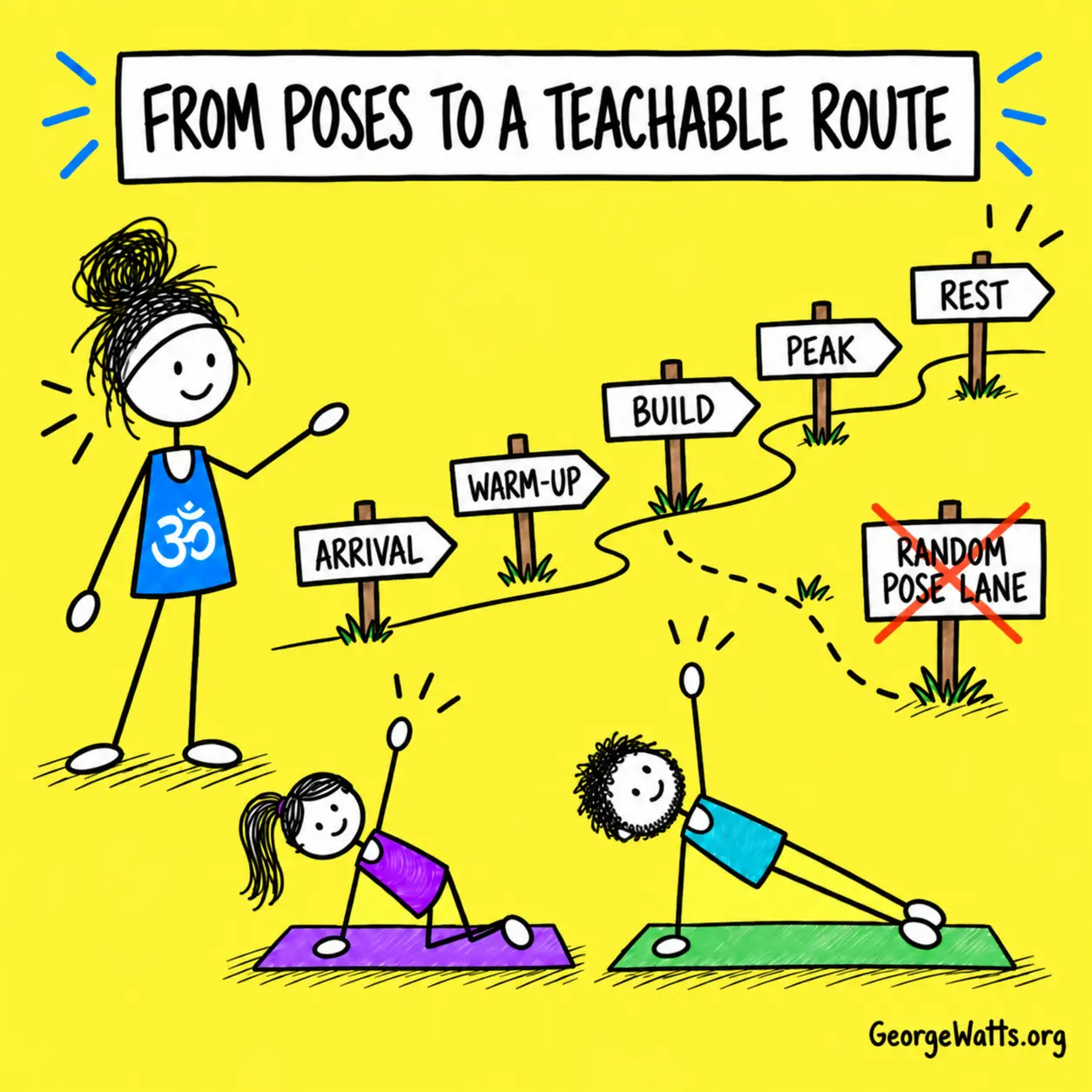
Label the route: arrival, warm-up, build, main exploration, cool-down and rest. Add rough timings. Repeated Downward Facing Dogs and Child’s Poses now have jobs instead of looking like accidental duplicates.
- 4
Keep, remove and add
Keep the practices that clearly prepare for the purpose. Remove anything that asks too much, repeats without a reason or steals time from the ending. Add only what solves a real gap.
- 5
Add options and a teaching thread
Plan a simpler starting version, a supported choice and a resting option. Then write one short teaching thread you can repeat. For this example: “Press down to create space.”
A yoga lesson plan formula can help when the shared plan needs a clearer beginning, middle and end. If a peak pose is doing the organising, use Peak Pose Planning 101 and How to Sequence Around a Peak Pose.

Worked Example: Side Plank Knee Crunch
The original plan supplies the ingredients.
The adapted plan tells you how today’s class will use them.
Before: useful shared plan
- Title: Peak Pose: Side Plank Crunch.
- A sequence of relevant poses.
- Repeated Downward Facing Dog and Child’s Pose entries.
- No explicit description of today’s students.
- No class aim, objectives or teaching thread.
- No clear decision about what to leave out if time runs short.
After: ready-to-teach route
- Title: Build to Side Plank Knee Crunch.
- Purpose: explore pressing down to create support and space.
- Sections: arrival, warm-up, build, peak exploration, cool-down and rest.
- Options: wall Side Plank, knee-down Side Plank and full Side Plank.
- Wrist choice: forearm, fist, blocks or a non-weight-bearing alternative.
- Ending protected before optional repetitions are added.
A practical 60-minute route
- 5 minutes: Arrive, breathe and notice hand, forearm and foot contact.
- 10 minutes: Mobilise shoulders, spine, hips and wrists with options.
- 15 minutes: Build lateral strength through kneeling and standing shapes.
- 12 minutes: Explore wall, knee-down and full Side Plank variations.
- 10 minutes: Return to floor work, gentle twists and quieter movement.
- 8 minutes: Settle into supported rest and close the class.
For a 45-minute class, keep the same teaching purpose but shorten the warm-up, build and main exploration. Remove optional repetitions before reducing the final rest. That creates a 4, 7, 11, 9, 8 and 6-minute route.
For more examples of what can go wrong between “good list of poses” and “teachable class”, see 29 Yoga Sequencing Mistakes.
Adapt the Plan for Real Students
A plan becomes teachable when it includes choices.
Those choices should support the purpose rather than create three unrelated classes at once.
Start with the people in front of you
Imagine that your evening group includes one student who prefers not to bear much weight through the wrists, one student who wants a strong Side Plank and several students who are tired after work. The purpose can stay the same while the route gains more doors.
- Teach a wall version first so everyone can explore pressing down and lifting through the side body.
- Offer a knee-down version on the mat before the full pose.
- Use a forearm option or choose another lateral-strength practice when hands need a quieter evening.
- Place the chair and blocks before class. A prop is not a useful option if it is hiding in a cupboard.
- Name a resting choice and make it part of the route, not an apology.
The 22 Wrist-Friendly Modifications for Sun Salutation A guide and 59 Downward Facing Dog Modifications give you practical alternatives for hand-supported sections. The Yoga Pose Directory can help when you need another practice that serves the same movement purpose.
Use five final checks
- People: Does this plan fit the group and setting?
- Purpose: Can I describe today’s exploration in one sentence?
- Route: Can students follow the levels, sides and transitions?
- Choices: Is there a clear supported, smaller or resting option?
- Time: What will I leave out if the class runs late, and when will I begin the final rest?
When those answers are clear, you have something much more useful than a perfect-looking document. You have a plan that can bend without breaking.

George’s Conclusion
A shared plan should shorten the distance to a good teaching decision.
Choose a useful starting structure, keep the parts that serve your purpose and spend the final 10 minutes thinking about the people who will actually arrive.
Your plan does not need to predict every wobble, question or late arrival. It needs a clear route, useful choices and an ending you can protect. That is what makes it ready to teach.
If you want to copy, edit, save and print plans with George’s blue yoga stick figures, use the Online Yoga Lesson Planner.
